
THE FACE / OWNER’S GUIDE
THE FACE.
THE MANUAL.
A little electricity. A lot of you.
Plug in. Find your fuzz. Make it yours.
Pedal weight: 320 g. Packaged weight: 500 g.
Start here ↓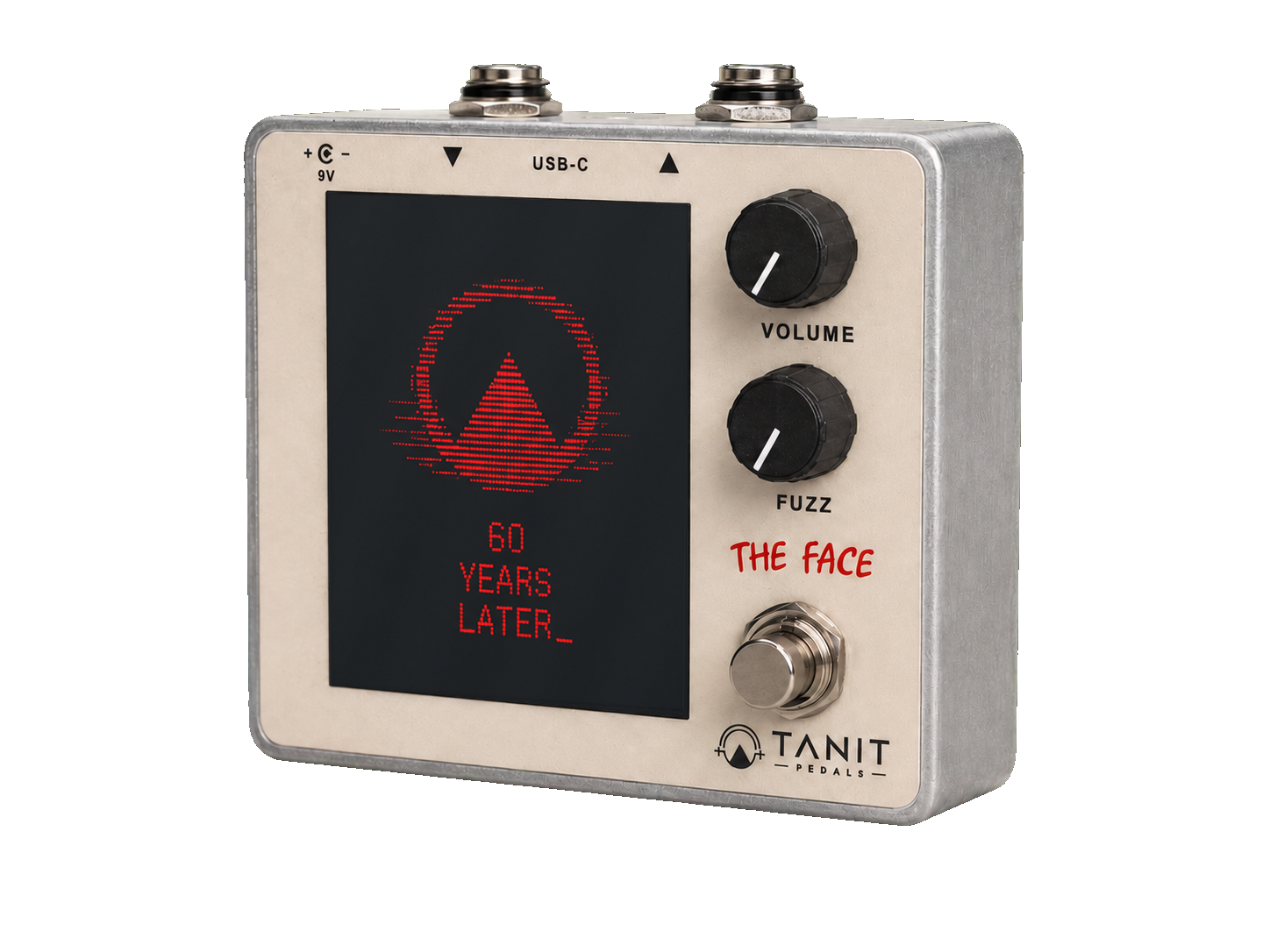
Plug in.
Play.
Start quietly.
Turn your amplifier down before connecting the pedal. Begin with Volume low and Fuzz at minimum.
Connect your signal.
Connect your instrument to the pedal’s input, then the output to your amplifier or the next pedal. Follow the input and output markings on the enclosure.
Check your power supply.
Use a regulated DC supply that matches the voltage, polarity and current requirements marked on your pedal. If any rating is unclear, contact us before connecting power.
Find your sound.
Press the footswitch to engage the effect. Bring Volume up gradually, then turn Fuzz to taste. Compare with bypass and adjust the level by ear.
Two knobs.
Your sound.
- VOLUME
- Sets the output level when the effect is engaged. Turn it up gradually; more output can drive the next device harder.
- FUZZ
- Sets the amount of fuzz. Minimum is still a fuzz sound; use the footswitch to bypass the effect.
- FOOTSWITCH
- Switches between the effect and bypass. Volume controls the engaged sound, not the bypass level.
- SCREEN
- Your image becomes part of the pedal. Volume changes its colour, Fuzz changes the visual distortion, and the audio signal brings it to life.
The web customizer is a preview. Judge your sound through the pedal and your own setup.
Choose your face.
Open the customizer ↗, upload an image and adjust the framing. Preview the Volume and Fuzz reactions.
Download your image.
Download the pedal-ready image. The exported file stays clean: the preview’s simulated distortion is not baked into it.
Connect by USB-C.
Connect THE FACE to your computer using a USB-C data cable. Open the THE FACE drive that appears.
Changing an existing image?
First upload? Skip this step: there is no image to remove. When changing an existing image, save a copy on your computer if you want to keep it, then delete the previous image from THE FACE before copying the new one.
Copy. Eject. Play.
Copy your new downloaded image onto THE FACE. Wait for the transfer to finish, then safely eject the drive before unplugging.
Looks rotated? That is intentional. The downloaded image is rotated 90° counter-clockwise for the pedal. Do not rotate or edit the exported file.
A little
help.
No sound?
Check power, cable connections and the amplifier level. Try bypass. If bypass works, engage the effect and raise Volume gradually.
Still fuzzy at minimum?
That is expected: minimum Fuzz is not bypass. Press the footswitch to hear your signal without the pedal’s fuzz effect.
The computer cannot see the pedal?
Try a known USB data cable and a direct USB port. Some cables only provide charging. Do not format the pedal’s drive; contact us if it still does not appear.
The new image does not appear?
Export a fresh file from the customizer. Check that the previous image was removed, the copy completed and the drive was safely ejected. Keep the downloaded image’s orientation unchanged.
Looking after your pedal
Keep it dry. Disconnect power before cleaning and use a soft, dry cloth. Stop using it if the enclosure, cable or power connector is damaged. Contact us for service.
Still need a hand?
Tell us what happens, your power supply details and, for image transfers, your computer’s operating system.
Contact TANIT ↗